Quick tips on how to successfully complete the online UC Merced COVID-19 Healthy & Safety Guide
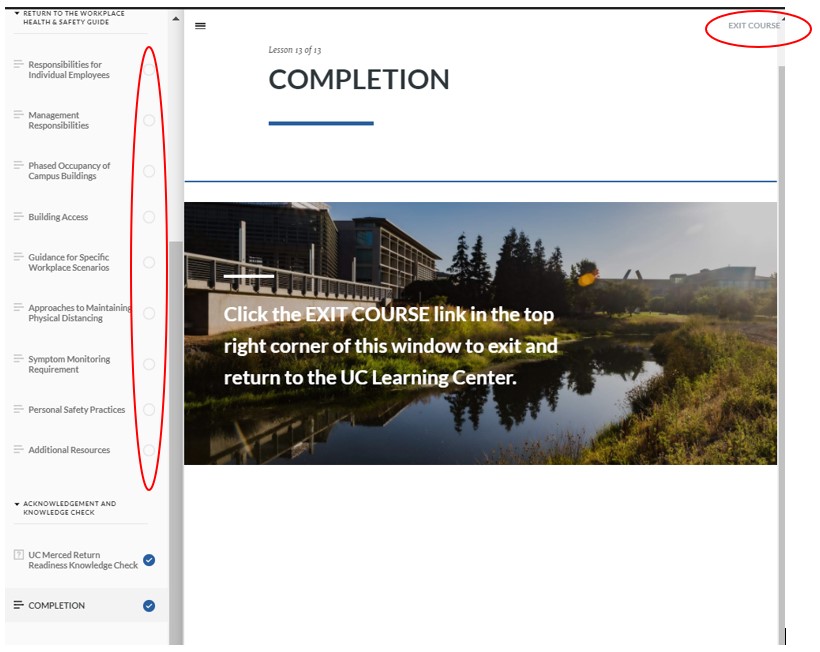
- Ensure all sections on LEFT-side navigation are completed (a blue circle with check mark will appear)
- Simply completing the quiz section with 100% will not trigger a course completion.
- IMPORTANT: Must click the EXIT COURSE button after ALL sections have been completed to successfully complete the course.
- If you do not receive a completion notification upon completion, please return to the course and complete any missing sections.
- IMPORTANT: After ALL sections are completed, you must click EXIT COURSE for the completion to record properly.
- If you are unsure whether your completion was properly recorded, please check your training analysis to ensure your status displays "Attended"; learn what an assignment status means.
You may try the course again here following the steps outlined above.